The missing UI layer for AI agents
Chat is a good starting point. But once agents start doing real work, they need interfaces for that work.
Chat is the right first interface for AI agents.
It is open-ended, forgiving, and fast. You do not need to learn where anything is. You just say what you want, and the agent figures out what to do next.
That is why every AI product starts there.
But chat has limits. You notice them when a workflow starts repeating — the third time you ask for the same status update, you should just have a dashboard. When you want to click, filter, or approve something rather than describe the action in a sentence. When the output is visual — a calendar, a kanban board, a quiz — and chat can’t hold the shape of it.
At those moments, the right interface is not another message. It’s an application.
The agent is doing software-shaped work
The strange thing about modern agents is that the work underneath chat is already much richer than chat.
A good agent can inspect files, run scripts, query APIs, create databases, connect to your tools, write code, schedule jobs, and keep state over time.
The agent is operating like software. The interface is still a message thread.
That mismatch shows up quickly. You ask for the same report every week. You review the same kind of output over and over. You make the same decision across twenty items. You want to see status, history, filters, buttons, and previews. You want a workflow you can come back to without re-explaining the whole thing.
Chat is great when you do not know exactly what you need yet. It gets worse once you do.
A real example: studying with flashcards
One workflow I use constantly in Printhouse is studying.
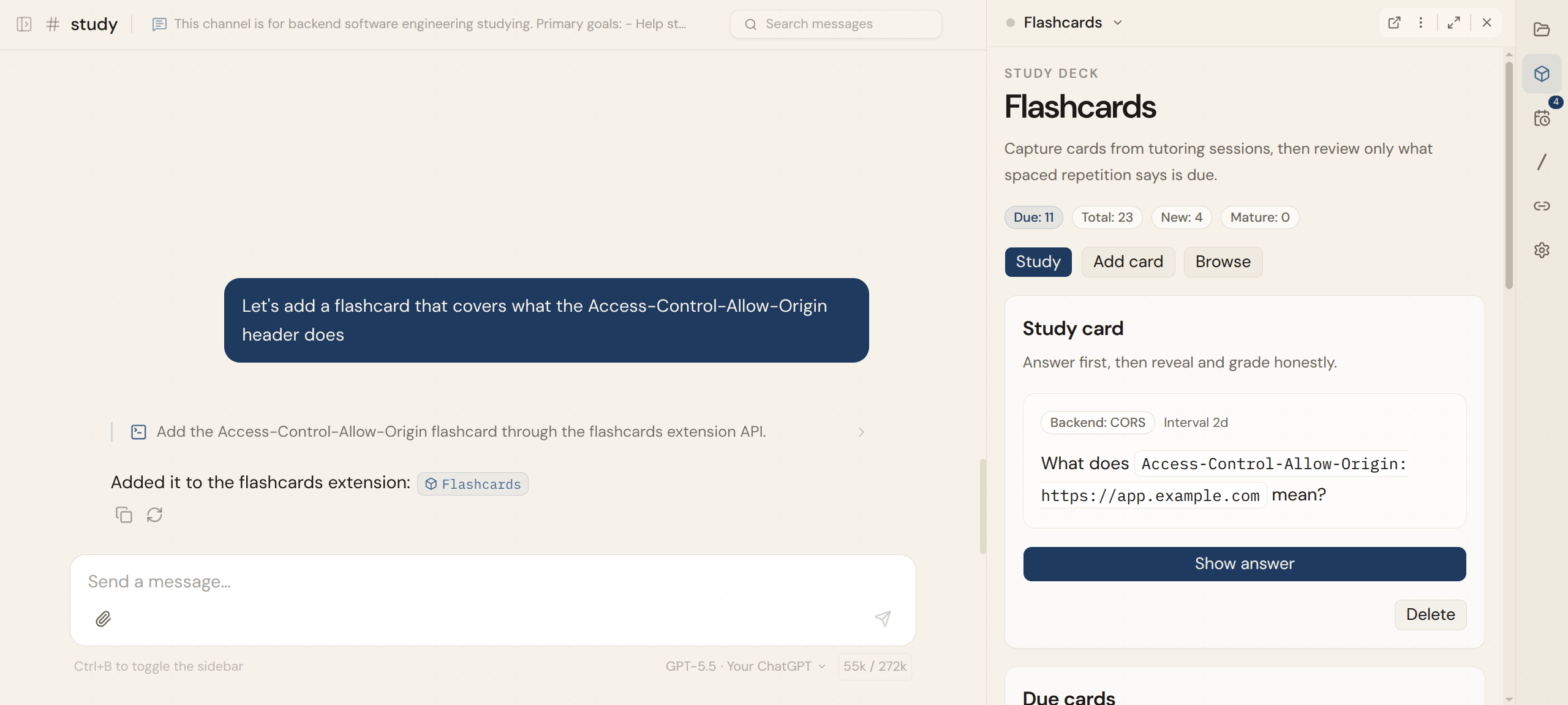
I have a #study channel where I research topics, ask the agent to explain concepts, work through examples, and push on anything I do not understand yet.
That part works well in chat. Learning is conversational. I want to ask follow-up questions, challenge definitions, get analogies, and move around.
But then I want the knowledge to go somewhere.
So I had the agent build a flashcards extension. Now, when I learn something worth remembering, I tell the agent to add cards to the flashcard app. The explanation happens in chat. The durable practice system lives in an extension. Later, I open the flashcards panel and quiz myself.
Same workspace. Same agent. Different interface.
When the extension needs more room, I open it at its own private URL — a full standalone app, still private, still connected to everything.
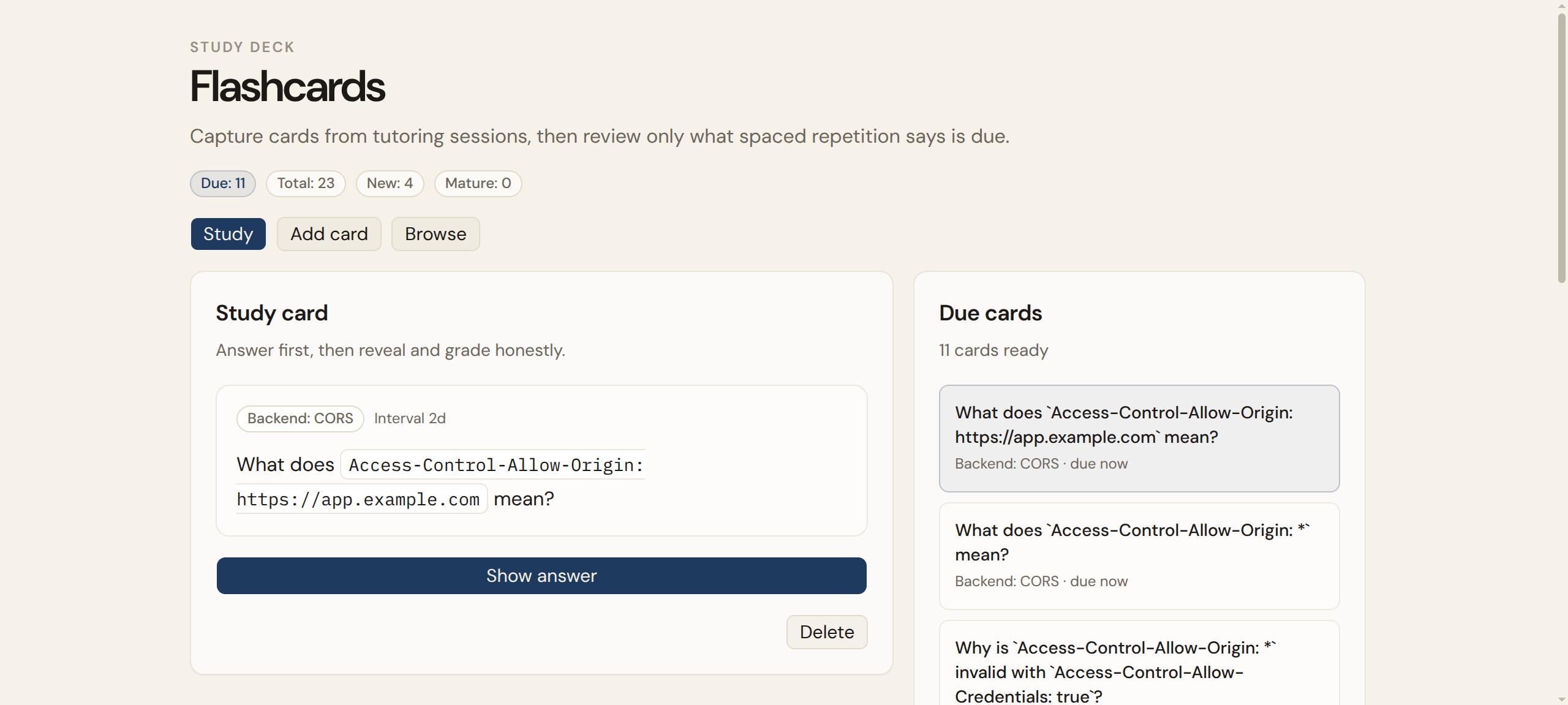
That is the pattern. The agent does not need to force everything through chat. It can use chat for the parts that are conversational, then build a small app for the parts that need structure, state, and repetition.
This is the missing layer
A lot of AI app builders are focused on helping you build and deploy applications.
That is useful when you want to ship something to users. Printhouse can help with that too — your agent can push to GitHub, connect to Vercel, and do the normal app-development work. But Extensions are for a different job. You do not wire up auth, manage credentials, deploy to hosting, and maintain the result as a standalone product.
Extensions are features your workspace grows.
An extension runs on the same computer as your agent. It can read your files, use your connections, store data in a local database. You can use it as a panel inside Printhouse, right next to your chat, or open it in its own private URL when it needs more room. Your agent can update it mid-conversation. And it is private — behind your login, visible only to you.
The question is not whether an AI can generate a page. It is whether that page can actually do something — read your data, call your APIs, persist state, and show up where you already work.
In Printhouse, this is what Extensions are for.
The interesting part is how specific they can be
Most software has to be generic. Todo apps, CRMs, dashboards, content calendars — they all need to work for thousands or millions of people.
Your workflow is not generic.
Maybe your daily planning pulls from Todoist, Gmail, Google Calendar, and a local notes folder. Maybe your launch process spans GitHub, Notion, draft tweets, and a checklist. Maybe your customer issue workflow starts in email, moves through Sentry, and ends in a GitHub issue plus a reply draft.
Those workflows are too specific for normal SaaS. They are perfect for an agent that already knows your workspace.
A few examples of what this could look like:
- Morning brief. Revenue, signups, errors, email, calendar, and tasks in one place — with the agent’s recommended priorities for the day.
- Launch room. Copy drafts, product changes, tasks, scheduled posts, analytics, and blockers in one private workspace.
- Content desk. Changelogs, customer quotes, notes, drafts, and approvals organized into a publishing workflow.
- Study system. Research and explanation in chat, flashcards and review history in a durable app.
- Script panel. Recurring scripts turned into buttons, inputs, logs, and output previews.
None of these need to become polished public products. They just need to work for you.
Beyond chat
Chat will stay important. It is the easiest way to delegate open-ended work, and it is where most agent interactions should start.
But as agents become more capable, they need more than a message thread. They need interfaces that make their work visible, interactive, and useful after the conversation ends.
That is what Printhouse is built around: turning AI from conversation into production. Your agent has a place to work. You have a workspace to work alongside it. And when the workflow needs a better surface, the agent builds one.